
What it does. The dashboard answers what you’d otherwise open four screens for: how busy this week is, what’s confirmed, who hasn’t booked, and who still owes you money. It’s the first page you see when you sign in.
When you’d use it. First thing in the morning, before you start returning calls. Or on a Friday, to see what next week’s load looks like before you order.
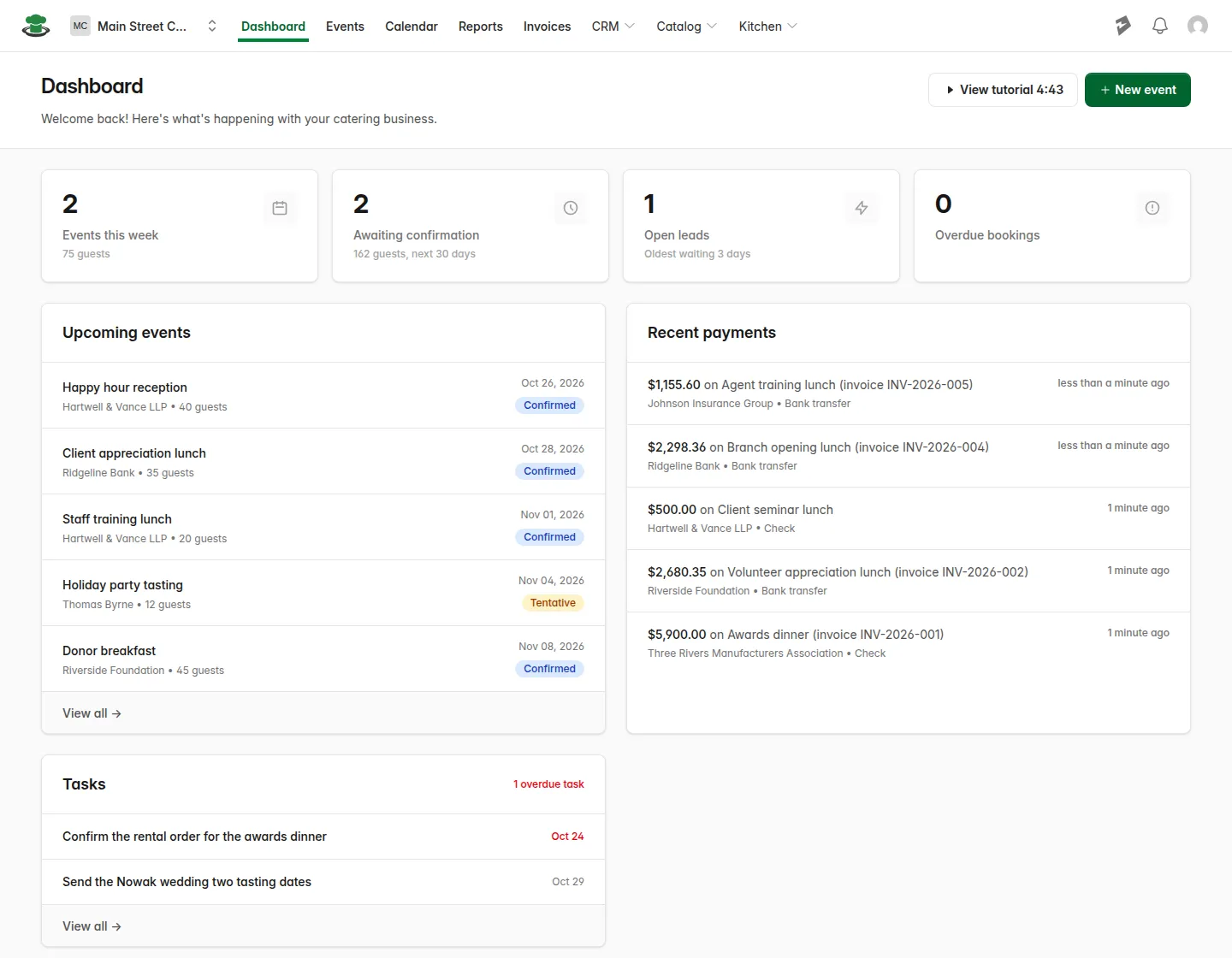
The four numbers across the top
| Card | What it counts |
|---|---|
| Events this week | Everything on your calendar from Sunday through Saturday, with the guest count underneath. Cancelled events are left out. Click it to open the calendar. |
| Awaiting confirmation | Inquiry and tentative events dated in the next 30 days, with their guest count. These are the events still waiting on a deposit or a signature. Click it to open that list. |
| Open leads | Inquiries you haven’t converted or archived yet, and how long the oldest one has been waiting. Click it to go straight to your New leads. |
| Overdue bookings | Invoices past their due date with money still owing. The amount due shows in red underneath. Click it to open those invoices. |
What’s below
Upcoming events. Your next events in date order, each with the client, guest count, date, and a status badge. Click any one to open it, or “View all” for the full events list.
Recent payments. The last payments you recorded, showing the amount, which event it was for, the client, and how they paid. Each one links to that event’s billing. Use it to confirm a check you entered this morning actually landed on the right event.
Tasks. Your open tasks, with anything overdue called out. If the list is empty you’ll see “No open tasks”. Both “Add a task” and “View all” take you to the tasks page, where you add and tick things off.
How to start a new event from here
- Click New event in the top right of the dashboard.
- Fill in the event details.
- Save.
What you’ll see. The new event appears under Upcoming events, and the counts at the top adjust to include it.