
What it does. Converting a lead creates the client, the contact, and the event in one step, using the details from the lead so you don’t retype them.
When you’d use it. As soon as a lead is ready to book. If it’s never going to book, archive it instead so it drops out of your open pipeline.
Find your leads
- In the top menu, click CRM, then Leads.
- Filter by All, New, Converted, or Archived, or click a lead’s name to open it.
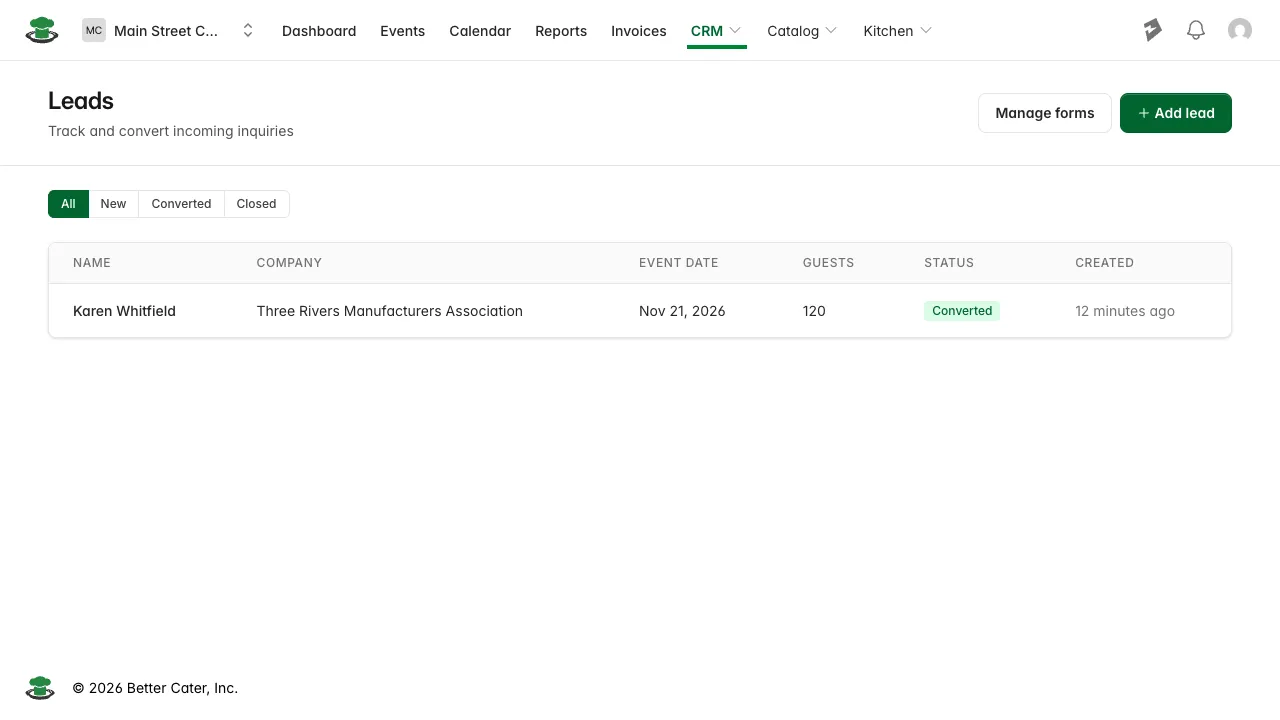
Leads arrive two ways: someone submits one of your lead forms, or you add one yourself with Add lead for an inquiry that came in by phone or email.
Convert a lead into an event
- Open the lead.
- Click Convert.
- Confirm. The confirmation names the location the event will be created at.
Better Cater creates a contact from the lead’s name, email, and phone; a client (its company name, or the contact’s name if there’s no company); and an event using the lead’s event name, date, and guest count. If the lead’s company matches an existing client by name, or its email matches an existing contact, conversion reuses that record instead of making a duplicate. You land directly on the new event, ready for you to add another contact or fix anything up.
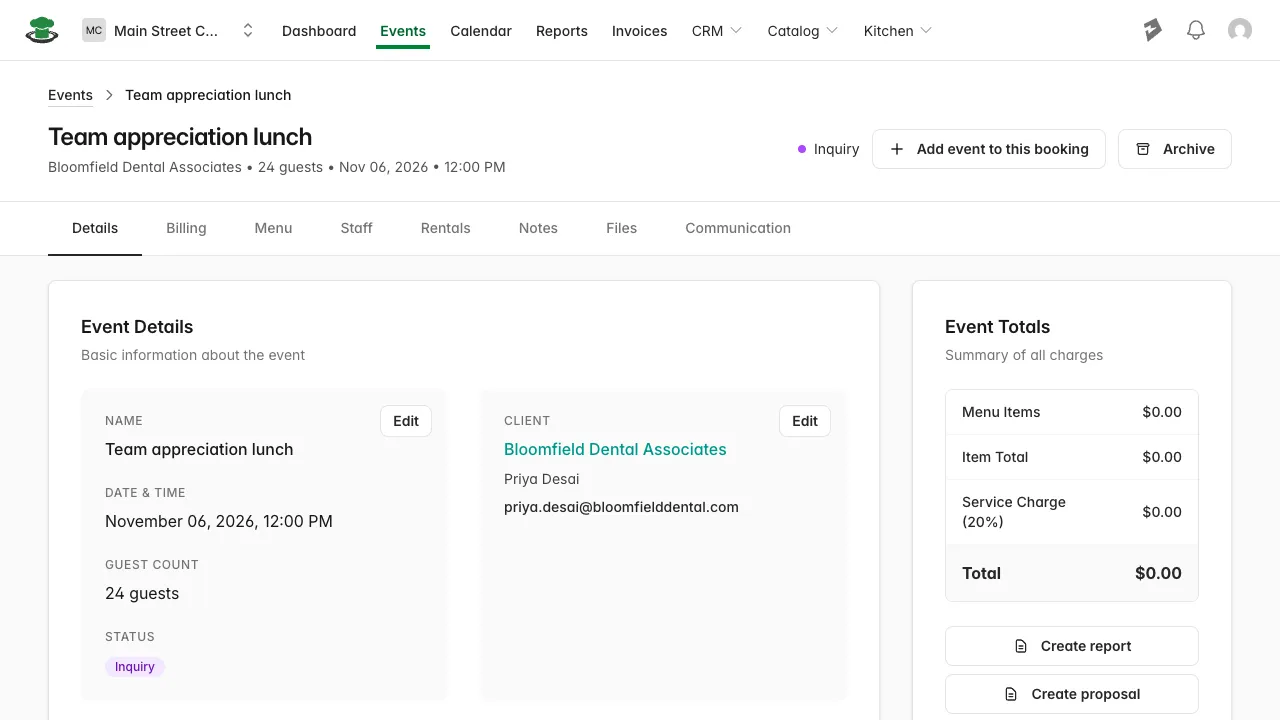
Any notes you added on the lead, plus any custom-field answers from a lead form submission, carry over onto the event’s Internal Notes, so that context isn’t lost. Standard fields like phone or event date don’t repeat there, they’ve already become the contact’s and event’s own fields:

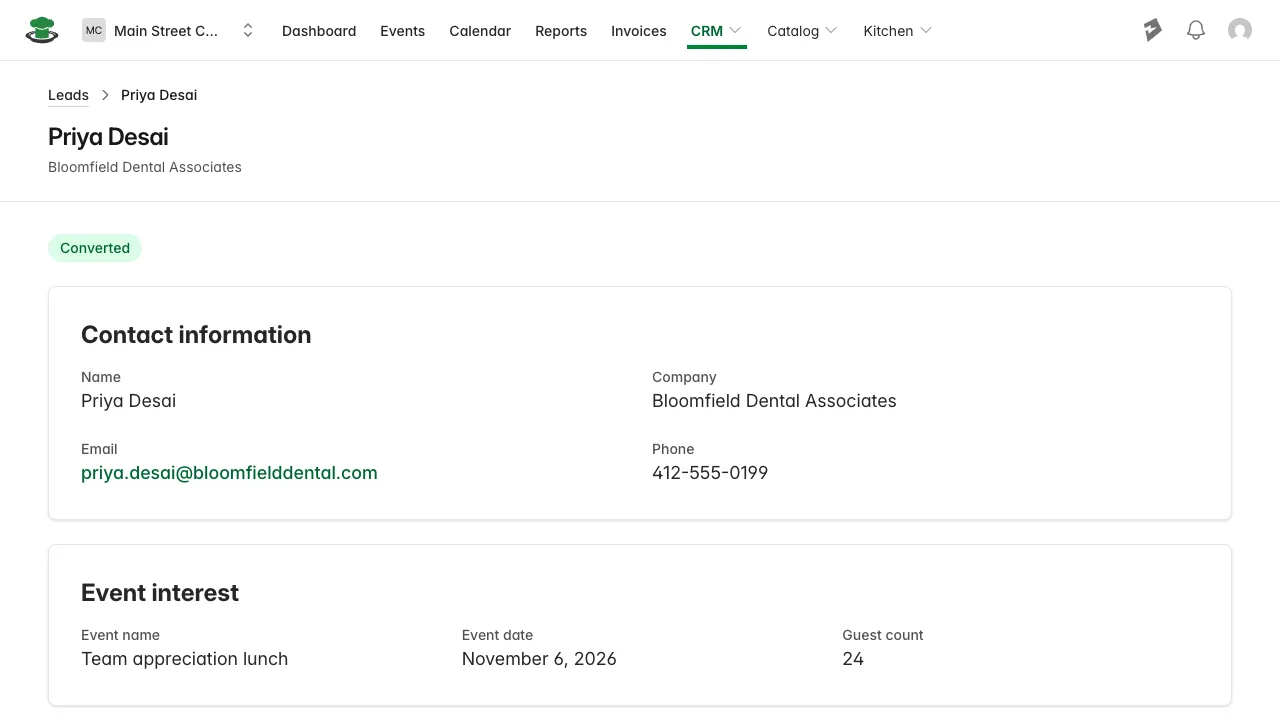
The lead itself is marked Converted, with a Conversion details section linking back to the contact and event it created.
Archive a lead that won’t book
- Open the lead.
- Click Archive.
- Confirm.
What you’ll see. The leads list with “Lead archived.” The lead is gone from All and New and listed on the Archived tab. To bring it back, open it from the Archived tab and click Restore.
Good to know.
- A lead needs a last name before it can convert. Clicking Convert without one pops “Last name is required to convert this lead.” instead of the usual confirmation, add it from the lead’s Edit page and try again.
- Converting doesn’t send anything to the client. Build out the event, then send a proposal when you’re ready.
- Archiving a converted lead leaves the client, contact, and event it created as they are.