
What's new in Better Cater: November 2026
Here is what changed in Better Cater since our October update. Everything below is already live in your account: send your own files with a proposal or invoice, see your margin while you price a dish, void a proposal you have already sent, ask checkbox questions on your lead form, and bring back a contact or client you archived by mistake.
If you missed October, three changes from it are worth a second look: clients can review and accept a proposal online, your lead form can sit on your own website, and event types let you tag each event as a wedding, a corporate lunch or whatever you cater. The full list is in What’s new in Better Cater: October 2026.
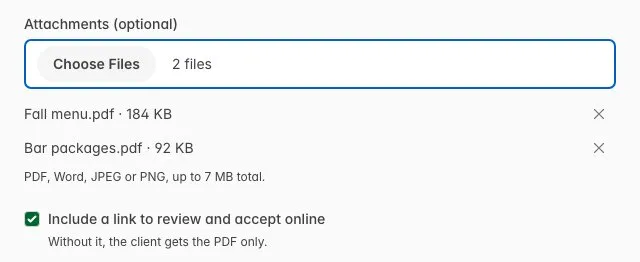
Send your own files with a proposal or invoice
The menu you designed, your bar packages, a W-9 for the invoice: they can now go out in the same email as the proposal or invoice. On the send form, add them under Attachments: PDF, Word, JPEG or PNG, several at a time, up to 7 MB in total. Each file you pick joins the list, and the × beside it takes one off.
See your margin while you price a dish
Type a price on a menu item and a margin badge, like “74% margin”, appears beside the Price label and updates as you type. On an item with a recipe, the cost comes from the recipe, so you can try prices until you land on the margin you want, without a calculator. A price below cost shows a negative margin.
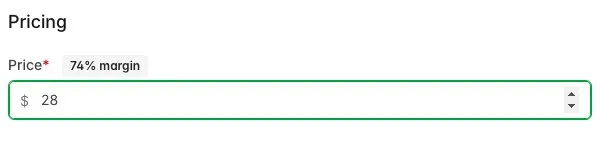
How costs reach a menu item is in Build and price your menu.
Void a proposal you have already sent
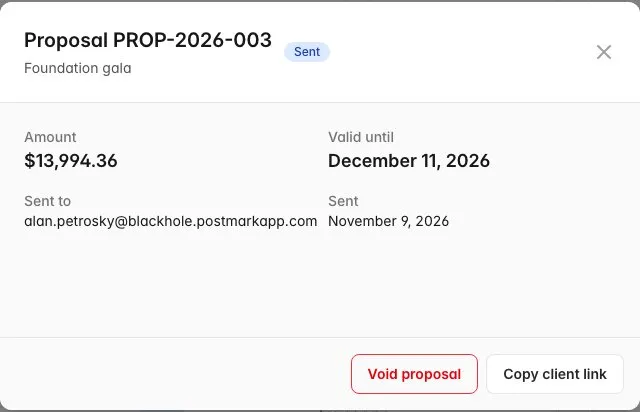
Sent a revised proposal, or need to pull an offer? Open the sent proposal on the event’s Billing tab and click Void proposal. Your client can no longer accept or sign it, and the proposal shows as Voided.
Checkbox questions on your lead form
Some questions have more than one answer, like the style of service someone wants or the drinks they need. A lead form question can now be Checkboxes: type the options one per line, and your visitor ticks as many as apply.
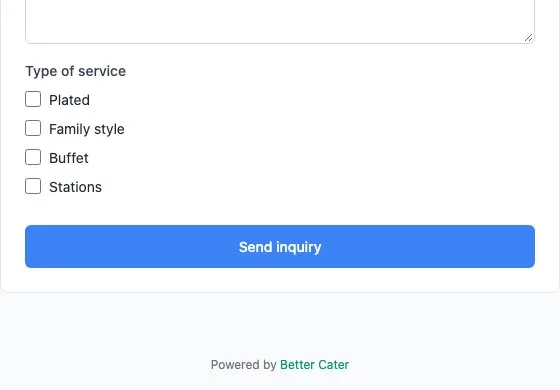
Setting up questions is covered in Create a lead form.
Bring back a contact or client you archived
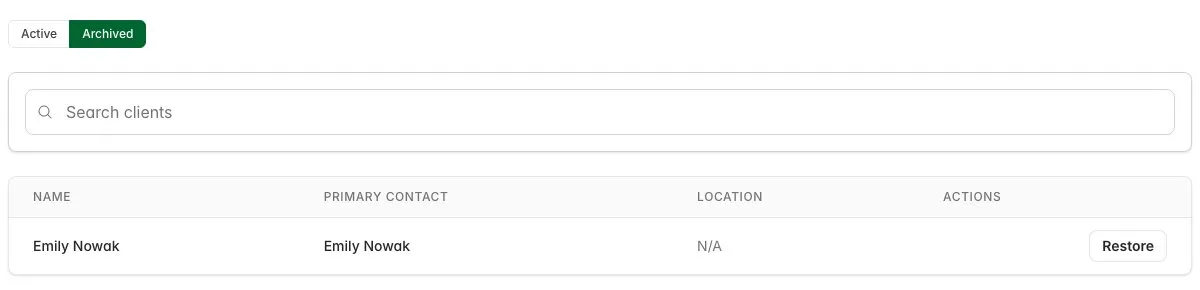
Contacts and Clients now have an Archived view with a Restore button beside each row. Archive someone by mistake and it is one click to bring them back.
Also new this month
- Name a menu item after its recipe. Pick the recipe on a new menu item and the name fills in for you. You can still change it.
- Text alignment. The text editor can center, right-align or justify text, for example in your contract terms.
- Search by full name. Typing “Jane Smith” into Contacts or Clients now finds Jane Smith.
- Faster number entry. Clicking into a number field selects what is there, so what you type replaces it.
Asked for something?
Most of these changes started as a note from a caterer. If Better Cater is getting in your way somewhere, tell us through the contact page. If you are not on Better Cater yet, start a free 30-day trial. No card needed.