
What's new in Better Cater: October 2026
Most of what we ship starts as a note from a caterer about where the software got in the way. Here are the four changes from the past month that matter most, all live in your account today: your lead form on your own website, a warning when a paid job is still marked as an inquiry, the cost of every row in a package, and a menu item that shows what it is made from.
Put your lead form on your own website
Until now, your lead form lived on a Better Cater page and your website linked out to it. Every lead form now has an embed code. Copy it from the form’s page, paste it into any page on your site, and the form appears right there, sized to fit. An inquiry sent through it lands in your leads list like any other, and the confirmation the inquirer receives comes from your own sending address, so a reply reaches you.
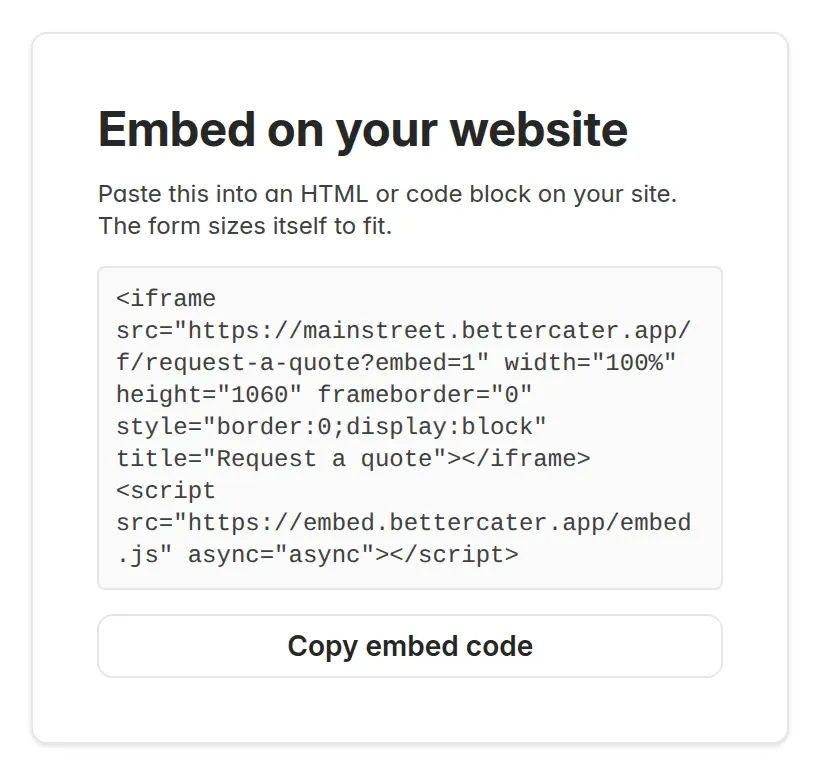
The steps are in Embed a lead form on your website.
A paid job can no longer hide as an inquiry
A caterer missed a job they had been paid for. The client had paid a deposit, but the event still read Inquiry, and the calendar colors events by their status. Now, when an event is still an inquiry or tentative and the client has paid or accepted the proposal, the event page shows a warning with a Mark confirmed button. One click sets the status. The dashboard counts these events too, so a job that needs confirming is never more than a glance away.
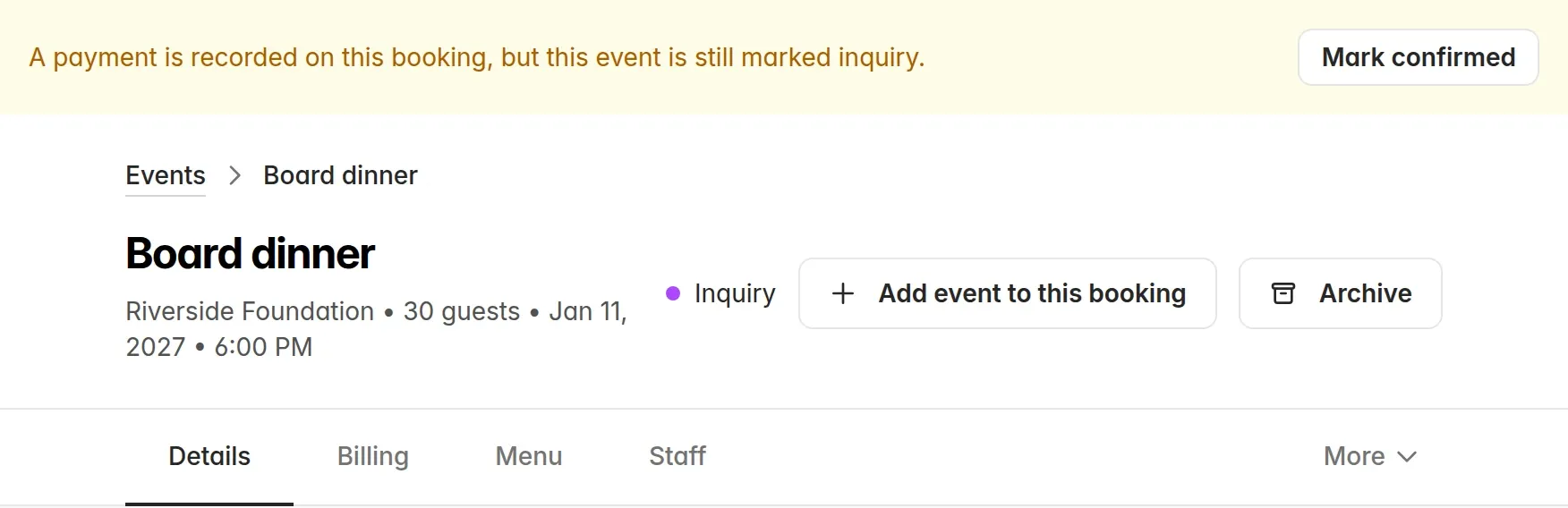
How the statuses work is in Track event status.
See what a package costs, row by row
Pricing a package used to mean adding up item prices by hand, and a package that cost more than it should gave no clue which row was the problem. The package page now shows each row’s price and cost for the quantity in the package, with a total per package at the bottom. A row whose item has no cost yet says Not set instead of hiding inside a total that looks right. You can also put the rows in the order you want them to land on an event.
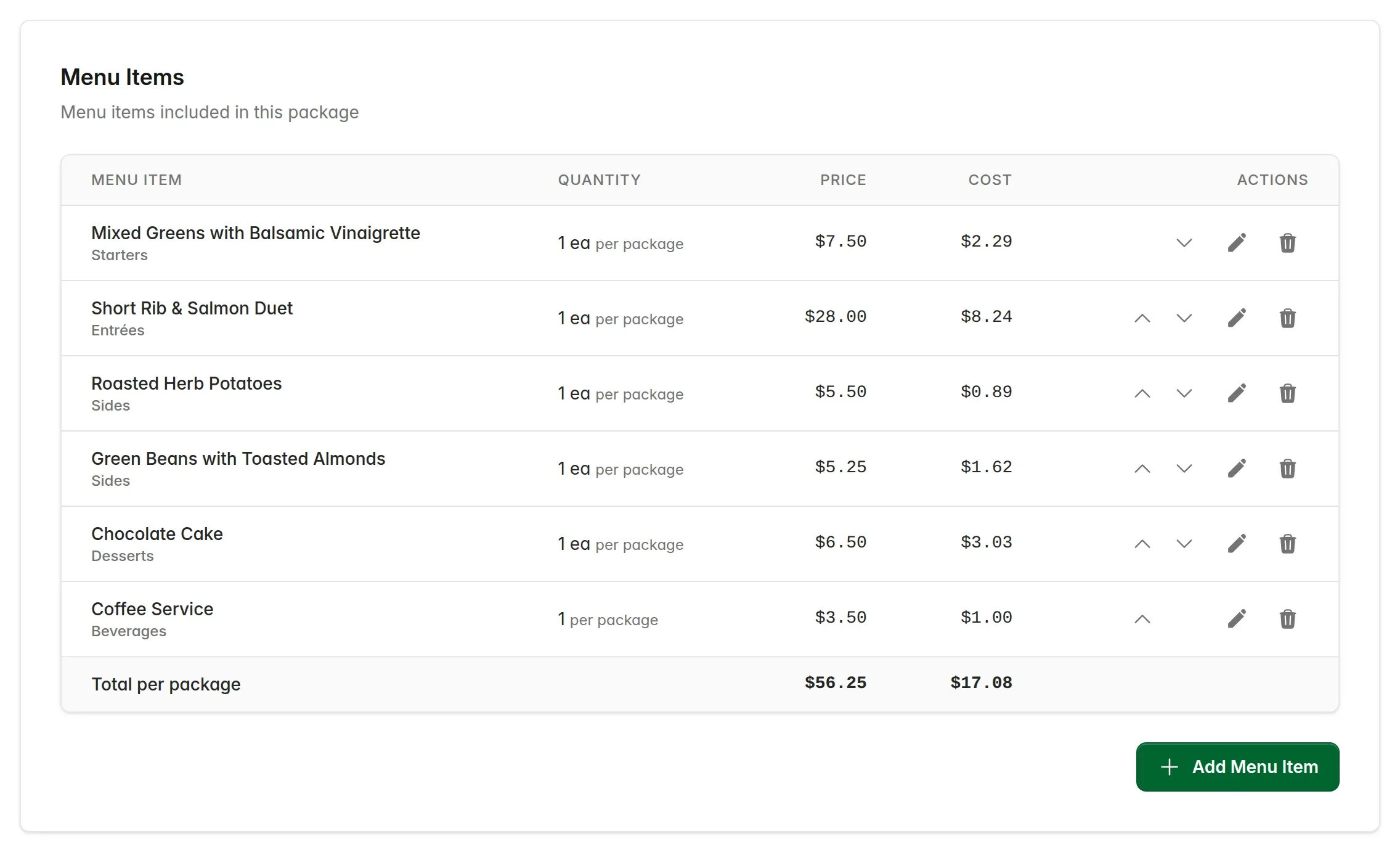
More in Create a package.
A menu item shows what it is made from
Open a menu item that has a recipe behind it and a Made from section lists what goes into one batch, with each ingredient and sub-recipe linking to its own page. When a client asks what is in the platter, or the kitchen asks which recipe it comes from, the answer is on the item itself. The recipes list also sorts itself into dishes and sub-recipes, so the components you never sell on their own stop crowding the menu.
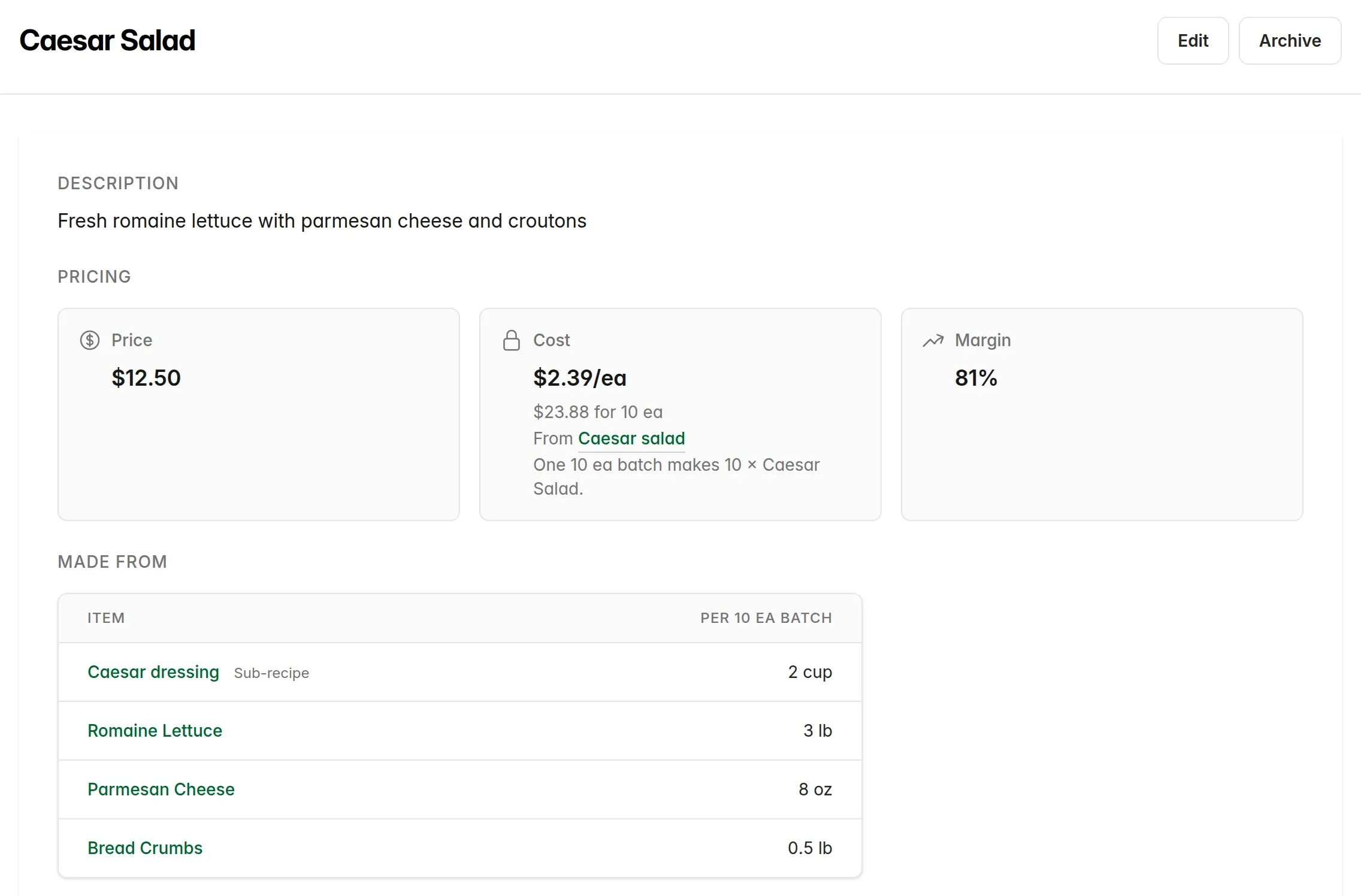
Building a platter from other recipes is walked through in Add a recipe to a menu item.
Also new this month
- Event types. Keep a list of the kinds of events you cater, pick one when you create an event, and see it on your events list.
- Salesperson on the paperwork. On accounts with more than one team member, pick who sold a booking and the name prints on the proposal, the invoice, the BEO and the kitchen sheet.
- Find an invoice by client. The invoices page sorts by client and searches by client name or invoice number.
- Duplicate a recipe. Copy a recipe under a new name, every ingredient included, and change only what differs.
- Online acceptance for everyone. The link that lets a client review and accept a proposal online is now on by default for every account.
Asked for something?
Most of these changes started as a note from a caterer. If Better Cater is getting in your way somewhere, tell us through the contact page. If you are not on Better Cater yet, start a free 30-day trial. No card needed.