
What it does. Every event carries one status: Inquiry, Tentative, Confirmed, Completed, or Cancelled. It’s a label you set yourself to show where the booking stands, color-coded across the events list, calendar, and dashboard.
When you’d use it. A client emails asking about a date (Inquiry), you send a proposal and hold the date (Tentative), they sign and pay a deposit (Confirmed), the event happens (Completed). Marking each change keeps your calendar and dashboard honest about what’s a real booking and what’s still a maybe.
The five statuses
| Status | What it means |
|---|---|
| Inquiry | First contact. A lead, not yet a booking. New events start here. |
| Tentative | You’ve sent a proposal and are holding the date, but nothing’s signed yet, sometimes called a “pencil booking.” |
| Confirmed | Contract signed and deposit paid, a firm booking on the calendar. |
| Completed | The event happened. |
| Cancelled | The event isn’t happening, at any stage before or after it was confirmed. |
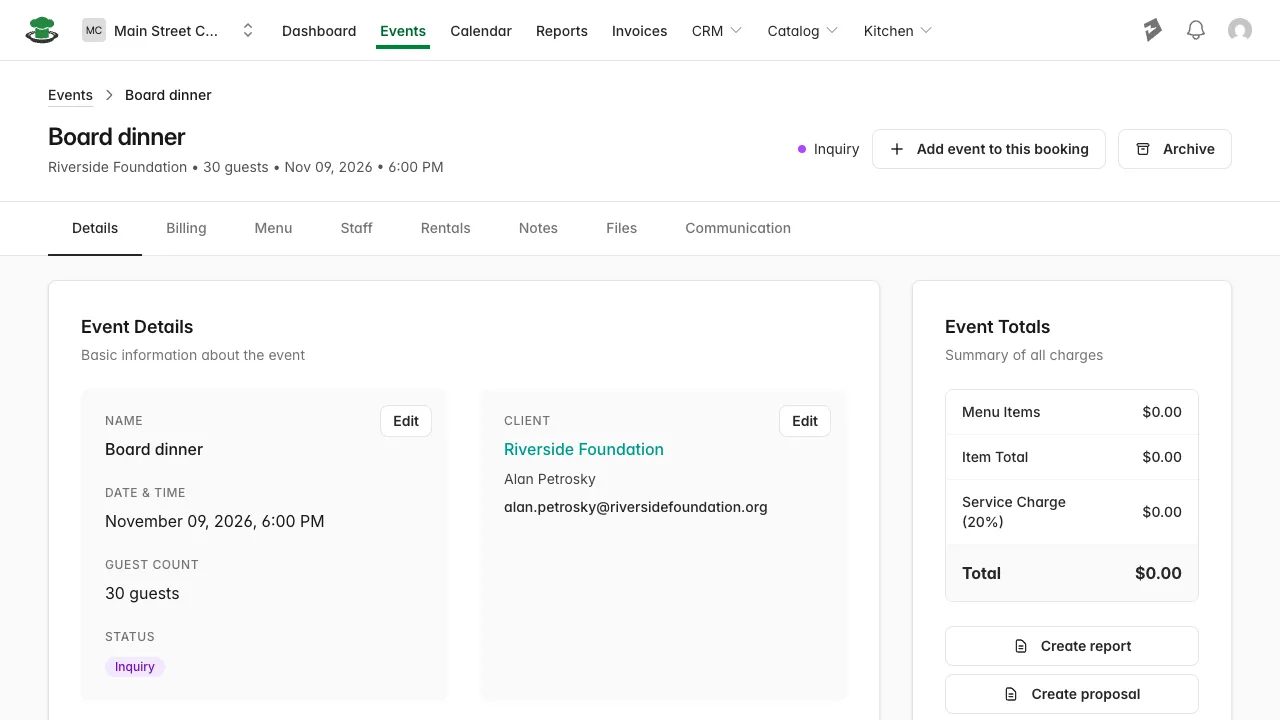
How to change a status by hand
- Open the event and stay on the Details tab.
- Click Edit next to the event’s name and date.
- Scroll to Status and pick the new one.
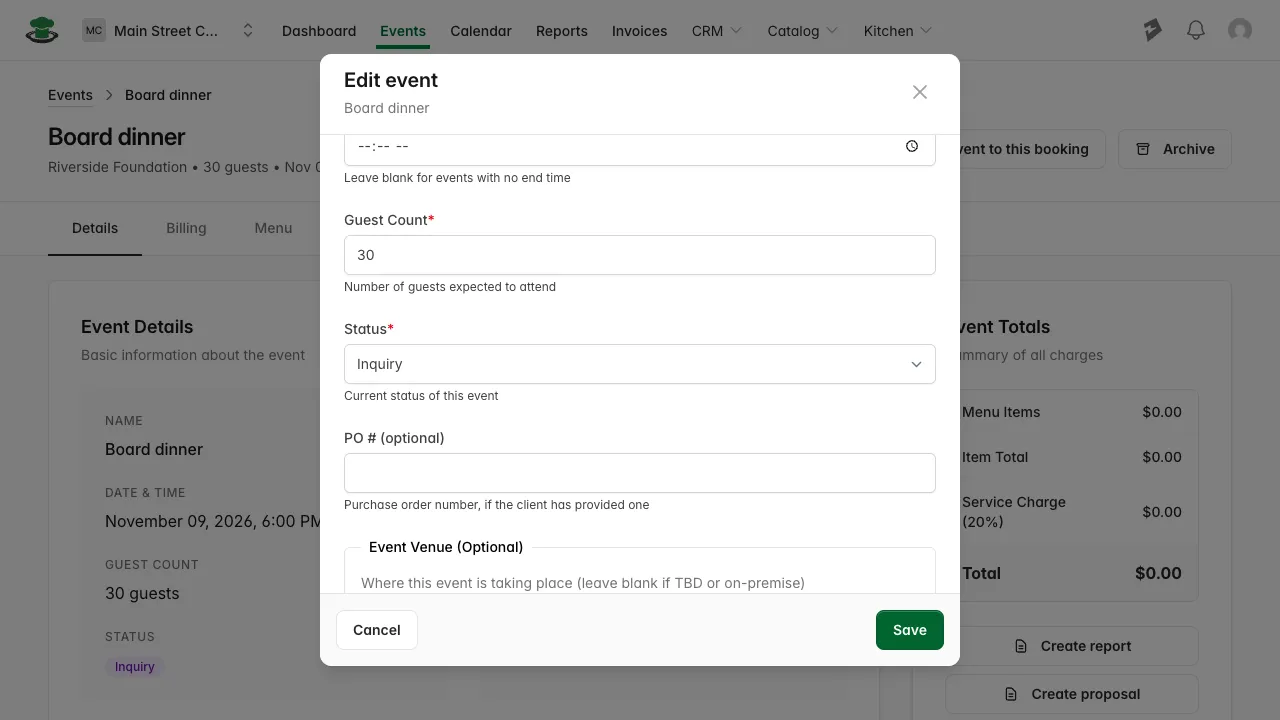
- Click Save.
What you’ll see. The status badge in the event header updates immediately, and the change carries through to the events list, calendar, and dashboard.

Where status shows up
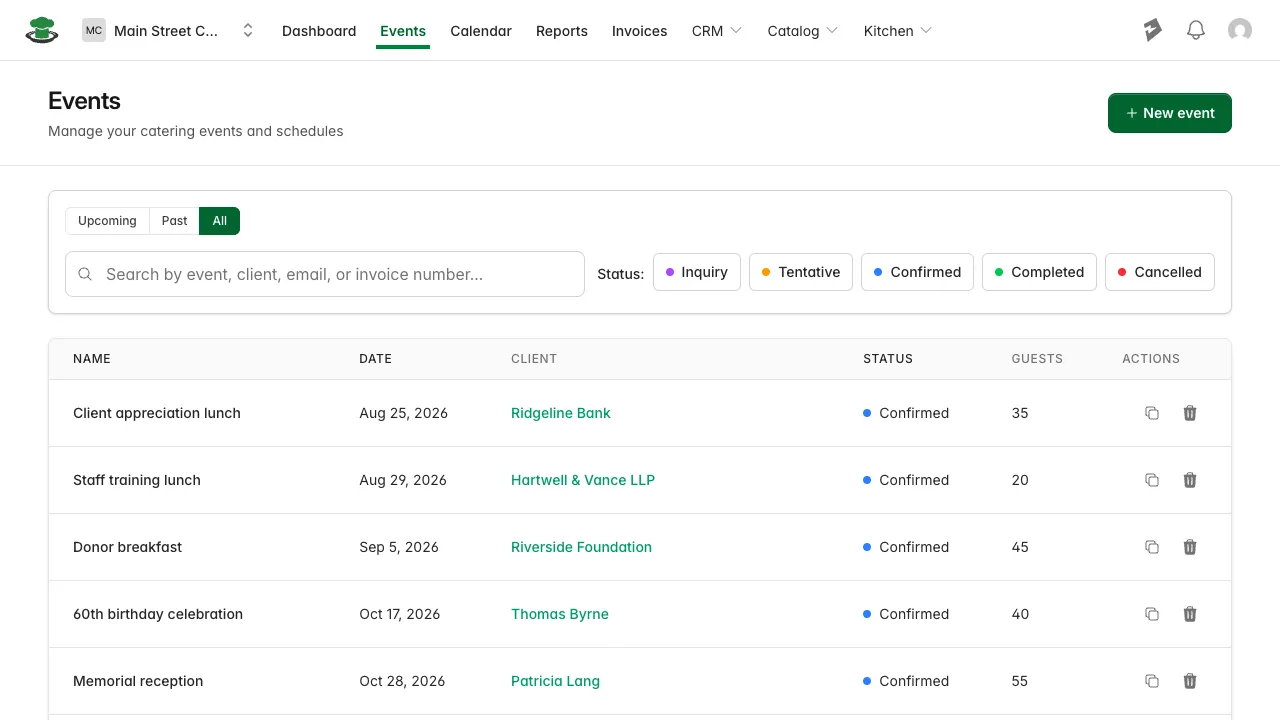
The Events list has a color-coded Status column and checkboxes to filter by status, so you can pull up just your Inquiries or just what’s Confirmed.
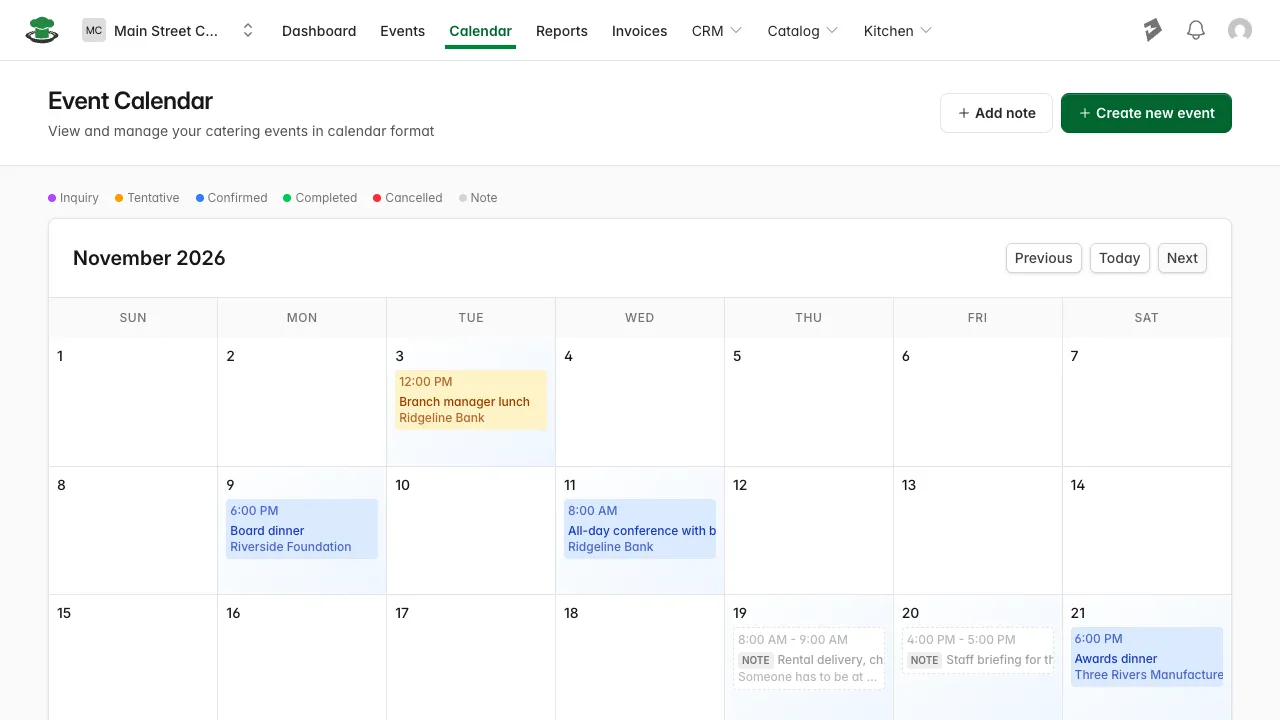
The Calendar color-codes each event’s tile by status, using the same colors as the events list.
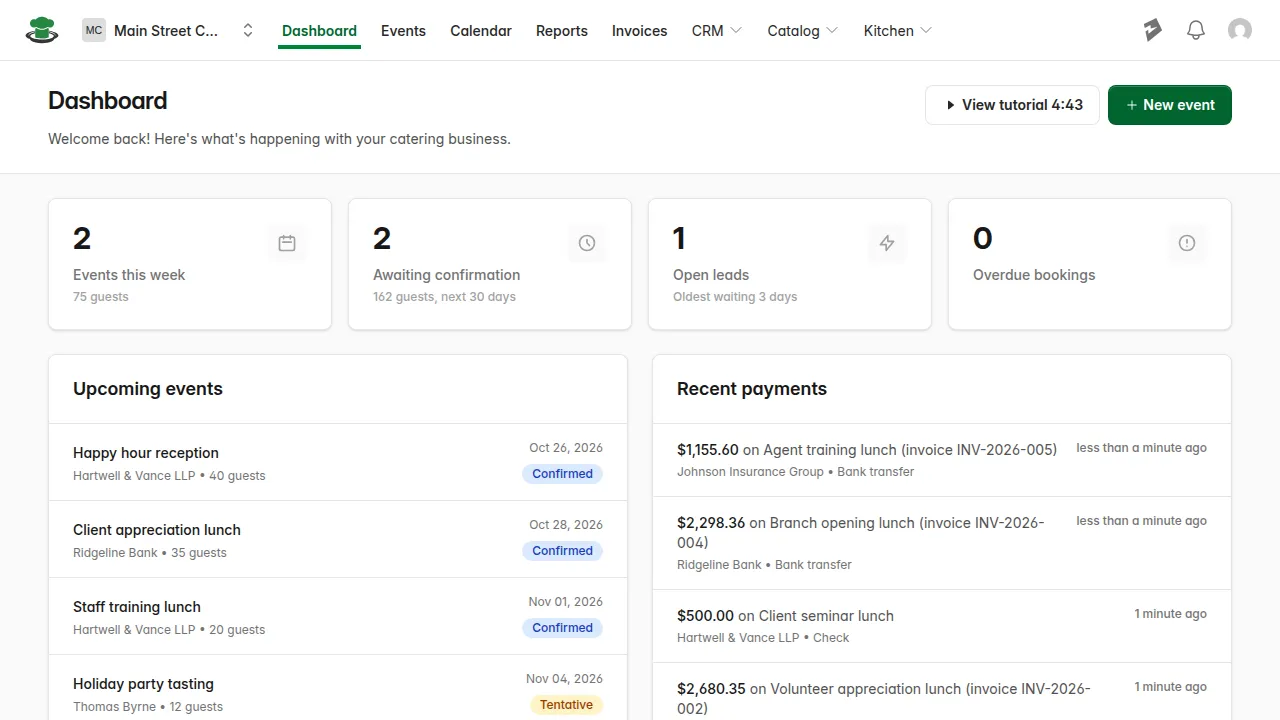
The Dashboard reads status too: an event still sitting at Inquiry or Tentative in the next 30 days is counted on the “Awaiting confirmation” tile until you confirm it, and a cancelled event drops out of “Events this week”.
Good to know.
- Status never changes on its own. Recording a full payment on an invoice doesn’t move an event from Confirmed to Completed. You set the status yourself at each step.
- Setting an event to Cancelled takes its total out of what the client owes, so the balance on the Billing tab and on the Invoices page no longer includes it. Its profit is left out too, on the Billing tab and in the Profit analysis report.
- Duplicating an event always resets the new copy to Inquiry, even if the original was Confirmed or further along, since it’s a new booking that hasn’t been through your pipeline yet.