
What it does. A package is a priced menu bundle you sell again and again: the client sees one line with one price, and your team sees the dishes and quantities behind it. Packages live in your catalog, and a whole one goes onto an event in a single step.
When you’d use it. The boxed lunch you quote every week, a cocktail hour that is always the same two passed items and a beverage station, a plated dinner you have sold fifty times. Build it once, price it once, and stop rebuilding it dish by dish on every quote.
How to open it
Click Catalog in the top menu, then Packages.
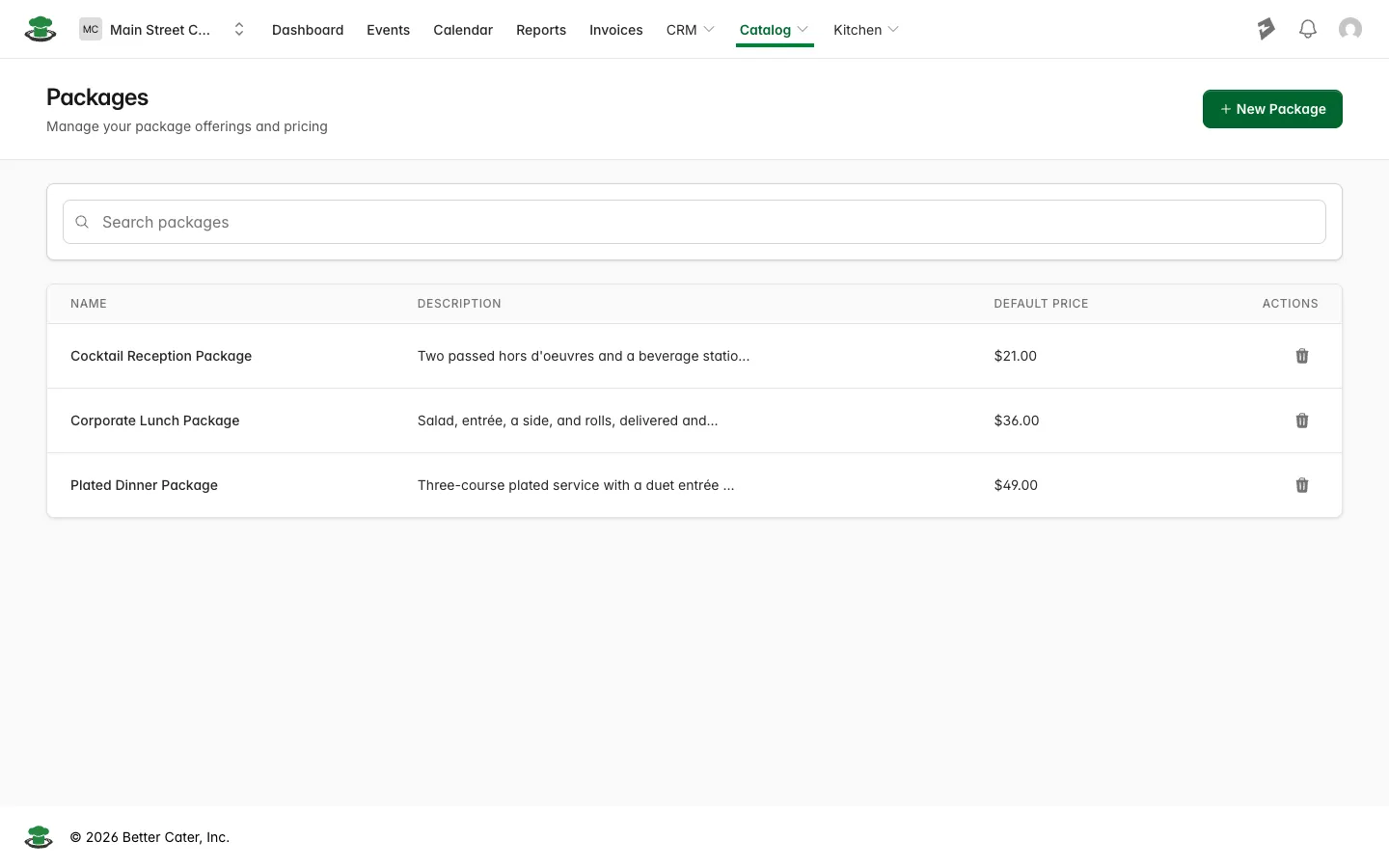
The list
Each row shows the package name, its description and its Default Price. Search matches package names, so typing “buffet” or “lunch” finds one once the list runs long. The archive icon in the Actions column takes a package you no longer sell off the list.
New Package takes a name the client will read on the proposal, a description of what is included, and a Default Price, then Save. Filling the package with dishes is covered step by step in creating packages.
A package’s page
Click a package’s name to open it.
Package Details holds three things.
- Price is the Default Price you set. It is the price Better Cater starts from when the package goes onto an event, and you can still change it on that event.
- Calculated Cost is what the package costs you, added up from the costs of the menu items inside it and shown per package. It is the number that tells you whether your price leaves room. An item priced from a recipe carries that recipe’s cost, so the more of your items are built from a recipe, the closer this figure gets to what the food really costs.
- Description is the text you typed on the package.
Menu Items below it lists the dishes in the package, with a Quantity column that reads like “2 ea per package”. That per-package number is what tells the kitchen what to make once the package lands on an event.
Add Menu Item opens a search of your catalog. Pick an item, or use Create New to build one without leaving the package. Then choose Per package and type the Quantity per package, or choose Set amount for something that should not multiply, and click Add Menu Item. The drawer shows that item’s Default Price and Default Cost while you decide.
Edit in the page header changes the name, the description and the Default Price. Archive asks you to confirm, then takes the package off the Packages list and out of the picker on an event. Events that already carry the package are left exactly as they are.
Adding a package to an event
Open the event, go to the Menu tab and click Add package. Pick the package from your catalog and the rest of the form opens.
- Package name and Description arrive from the catalog and can be overridden for this one event. The description prints on proposals and invoices.
- Package price starts from the Default Price. Changing it here does not change your catalog.
- Quantity calculation is the decision that matters, and the next section covers it.
- Items included lists what is coming with the package, each dish with its quantity per package, under a heading for each of your item groups. The headings are there to help you pick; the dishes still land on the event in the package’s order. Every dish starts ticked. Untick one to leave it off this event; the package price stays as you set it. To start from an empty list, untick All items, then tick the client’s picks.
Click Add Package.
What you’ll see. The package lands in the Menu table, below any menu items: the package row with its count in packages, the price per package and the line total, then each included dish indented underneath. The dish rows carry no money of their own, because the price sits on the package row.
Per person or set amount
Per person ties the package count to the event’s guest count. A 35 guest event gets 35 packages, and when the guest count moves the package count follows it without you touching anything. The event has to have a guest count for this, and Better Cater says so if it does not.
Set amount is the count you type. Use it when the number is not the headcount: 40 boxed lunches for a crew of 35, a dozen dessert boxes for one VIP table, two grazing boards for a room of any size. Switching to Set amount puts 1 in the Quantity box, so type over it.
The quantities under the package
Each dish under the package shows two numbers: the total for this event, and the quantity per package underneath it. Two rolls per package on a 35 guest event reads as 70, with “2 ea per package” under it. Those totals are what your kitchen report, packing list, shopping list and banquet event order work from.
When one dish inside the package should stay flat while everything else scales, like a single cake at a wedding, set that dish to a set amount. The steps are in set a package item to a set amount.
Extras alongside the package
Anything that is not part of the package (an upgraded dessert, a dietary plate, a tray somebody added at the last minute) goes in the same Menu table as its own line, with Add menu item. It prices on its own, on top of the package.
What the client sees
On a proposal or an invoice the package prints under a Packages heading as one priced line. Tick Show package components under Display options and the dishes print indented under that line with their quantities and no prices, which is the version most caterers send: one number to approve, with the food spelled out beneath it. Getting it to the client is covered in send a proposal.
Event Totals
The package total goes into the Menu row of Event Totals, alongside anything you added separately, and flows on through Item Total, your service charge and your tax to Total. There is no separate Packages row, so the Menu figure covers your packages as well as your standalone dishes.
Because the package carries the costs of the items inside it, it also reaches the profit analysis report with a cost behind it rather than as revenue with nothing to compare against.
Good to know.
- An event keeps its own copy of a package. Editing the package in your catalog later does not change events that already have it, and neither does archiving it.
- A package’s cost is calculated, never typed. To move it, change the cost of the menu items inside the package.
- Search on the Packages list matches names, not descriptions.
- The dish rows under a package show a dash for unit price and total on purpose. All of the money sits on the package row.